

Share on
When running a business in the food service industry, efficiency, speed, and profitability are some of the most important priorities. You need to ensure that clients get their food orders as fast as possible, while also ensuring that your staff has access to all necessary ingredients at all times. At the same time, you need accurate data to ensure that your operations are profitable.
That’s where a point of sale (POS) system comes to help.
A POS system for restaurant is an integrated network of software and hardware that helps you manage your day-to-day operations. It helps you process payments, track inventory, manage orders, acquire customer data, and perform operational reporting.
This guide explains why you need a POS system, features to look for when selecting one, and some examples of systems you can consider.
Why a POS matters for modern restaurants
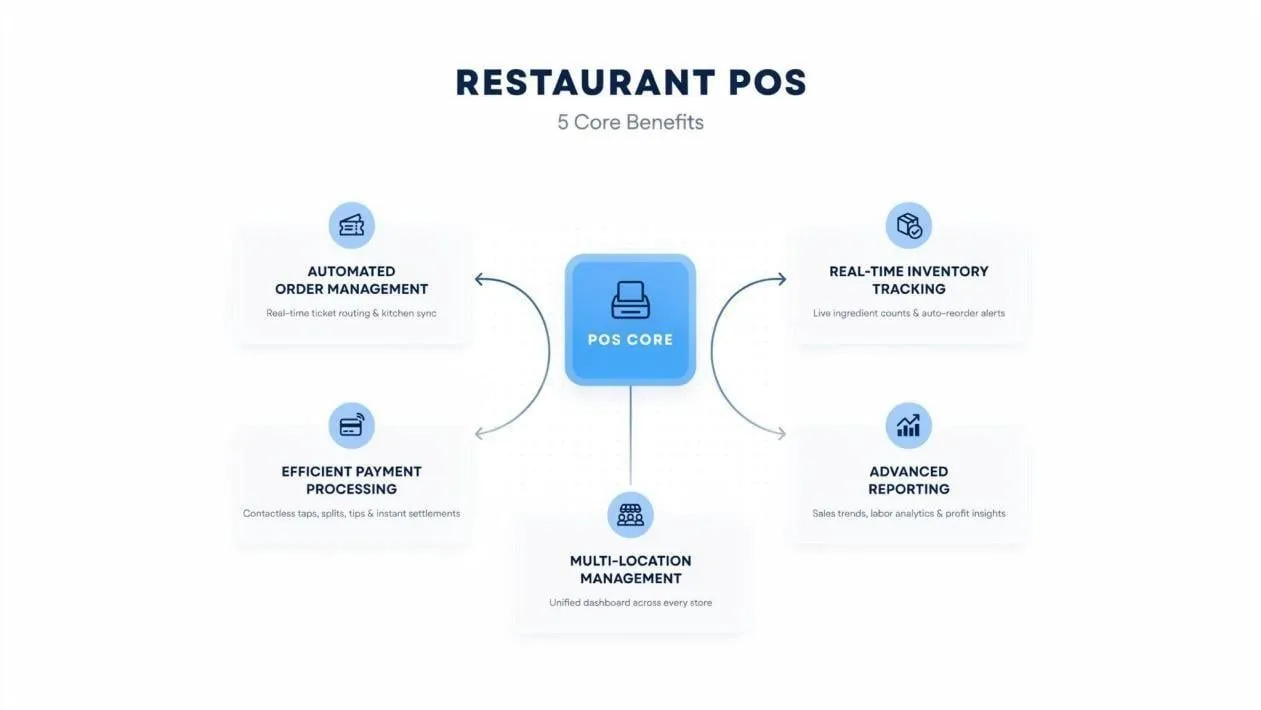
An illustration of the benefits of a POS system in restaurants
Running a hotel involves coordinating various activities at the same time. For example, you need to ensure that the kitchen is dispatching orders fast, maintain proper kitchen coordination, track raw material inventory, and ensure customers are getting the best experience. Without proper tools, this can be overwhelming.
So, how does the POS system help?
Helps automate order management
A POS system centralises the order management process. For example, it sends orders directly to the kitchen display systems (KDS) or thermal printers from waitstaff terminals or customer QR codes. This reduces delays and errors that can often affect operational efficiency or lead to negative customer experiences.
Also, a POS system can streamline your services if your restaurant offers multiple services such as dine-in customers, delivery through apps, or takeaway services. It reduces the need for manual entry and helps improve service speed.
Tracks ingredient inventory in real time
Imagine receiving customer orders for a certain dish only to realise you don’t have the ingredients needed to make it.
A POS system helps you avoid such situations by monitoring stock levels and sending low-stock alerts. It also helps you reduce wastage and control food costs through real-time visibility into ingredient usage.
Makes payment processing more efficient
Customers increasingly expect fast, convenient payment experiences. A POS system enables restaurants to accept multiple payment methods, including credit cards, debit cards, mobile wallets, and contactless payments. This can help reduce checkout times, improve customer experiences, and minimise operational bottlenecks during busy periods.
For example, integrating Antom into your POS system as a payment solution can help improve local and international payment methods. Antom is available in 200+ markets worldwide and can process 300+ payment methods and 140+ currencies. This means that a single integration into your POS system can allow you to serve local and international customers both in a single branch or overseas.
Improves multiple location management
When operating restaurants in multiple locations, managing daily operations can be challenging. A POS system solves this problem by allowing you to oversee operations from a central dashboard. From here you can standardise pricing, monitor each location’s performance, and update menus.
Advanced reporting
Reporting and analytics are essential in managing a restaurant in today’s competitive food industry. You need to understand your customer behaviours, your costs, sales patterns, and your staff productivity. For example, knowing which menus are performing or underperforming can help inform inventory decisions to reduce costs and wastage.
Features to look for in a POS system for restaurant
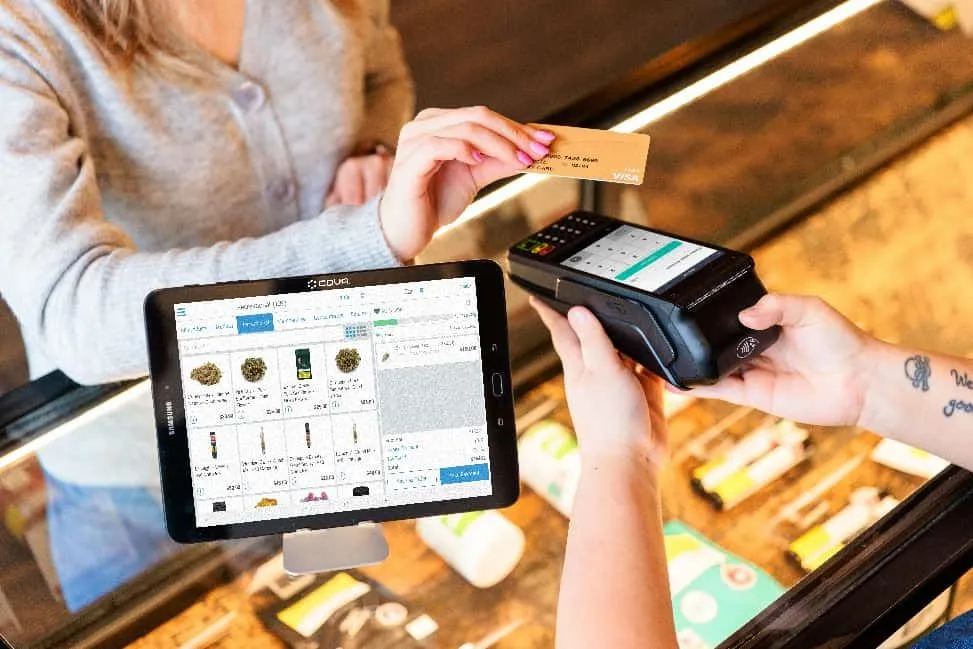
Image source: unsplash
POS systems do not offer the same capabilities. Some may offer basic functions like managing orders and processing payments, while others allow advanced integrations and support.
POS terminals
POS terminals are the hardware devices that restaurant staff use to take orders and process payments. Depending on your business model, you may need countertop terminals, handheld devices for tableside ordering, self-service kiosks, or mobile POS solutions. If you choose the right terminal setup, it can help speed up service, reduce wait times, and improve the overall dining experience.
Payment processing
An ideal POS system should support fast, secure, and flexible payment processing. Your restaurant serves a diverse customer base, who will expect you to accept various payment methods. For example, some may use cash, others credit or debit cards, or other digital wallets. Therefore, you should select a POS system with reliable payment capabilities.
Customer relationship management (CRM) tools
When selecting a POS system, you want to settle for one with CRM features that allow you to collect and organise customer data like purchase history, dining preferences, and visit frequency. These insights can help you personalise promotions, improve customer engagement, and encourage repeat visits. This would make the system a valuable tool for building stronger customer relationships and increasing retention.
Third-party integrations
As a restaurant owner, you will need different software tools to manage operations. In this case, your selected POS system should integrate seamlessly with other solutions like delivery platforms, accounting software, and reservation systems. You also need marketing tools, global payment processing gateways such as Antom, and other business applications.
Menu and order management
A POS system should make it easy to update menu items, adjust pricing, manage modifiers, and process orders across multiple sales channels. Such a centralised order management helps reduce errors and ensures customers receive accurate and timely service.
Inventory tracking and management
The POS system you select should have the capacity to automatically update inventory data. This can help reduce waste, prevent stock shortages, and improve purchasing decisions. You can also use it to control costs and improve overall profitability.
5 Top restaurant POS systems for 2026
There are many restaurant POS system providers across the world. They all offer solutions with different features, pricing models, and hardware capabilities. As a result, selecting one choice can be difficult. So, here is a list of potential options you can consider:
TouchBistro POS
TouchBistro is a POS system designed to help you improve kitchen efficiency, speed of service, and drive repeat business. It’s an ideal solution for your business if you are looking for simplicity, transparent pricing, and strong mobile capabilities.
Key features:
- Mobile and countertop POS terminals
- Integrated payment processing
- Basic CRM and customer profiles
- Online ordering integration
- Inventory tracking tools
- Reporting and analytics
Costs: TouchBistro offers monthly subscriptions starting at $69/month for a basic POS system. But if you want advanced features like integrated payments and restaurant-grade hardware, you’ll need the $119/month subscription.
Lightspeed
If you’re working in a high-volume environment where speed matters, Lightspeed POS is a good choice. It offers advanced inventory tracking and reporting features that allow you to improve the business’s profitability.
Key features:
- Cloud-based POS terminals
- Payment processing and reconciliation
- Open API to build customised workflows and capabilities for your business
- Real-time inventory management
- Advanced marketing and communication across channels
- Multi-location management
Cost: Three tiers: Basic plan from $89/month, Core plan $149/month, and $ Plus plan from $189/month.
Clover POS
Clover POS is a cloud-based POS system and software that offers capabilities that make handling your daily operational tasks easy. It can help you process payments, organise inventory, track sales and refunds, and generate reports.
Key features:
- Flexible POS terminals (countertop, portable, or no device)
- Payment processing integration
- Employee management tools
- App market integration for third-party apps and accessories
- Customisable reports on the dashboard
- Manage customer relationships, feedback, and reward programs
Costs: Charges are 2.3% + 10¢ per transaction. Bundled plans start at $135/month, but transaction fees vary depending on your plan.
Square
If you’re looking for a flexible POS system designed for the restaurant rush, Square could be your solution. It is a simple POS system that makes the ordering process faster and alerts customers when their orders are ready.
Key features:
- Instantly sending orders to the kitchen with Square KDS
- Access to detailed reporting and analytics
- Notify customers about their orders
- Integrate with third-party delivery apps like Uber Eats and DoorDash
- Auto-updates your menu items and availability based on inventory levels
- Organise your order entry with customisable displays, menu photos, and an interface designed to support fast services
Cost: Square offers three restaurant POS plans: Free ($0/month), Plus ($49/month), and Premium ($149/month) per location. Payment processing fees start at 2.6% + 15¢ and vary across plans.
Toast POS
Toast is a restaurant-focused POS system built to support high volumes, scalability, and complex restaurant operations. It supports both full-service and quick-service restaurants with tools designed to keep their operations running efficiently.
Key features:
- Supports integrations with over 200 synced partners
- Provides 24/7 customer support
- Offers a reliable offline mode to manage operations at all times
- Cloud-based POS system
- Supports customisation of POS solutions
- Leverages AI to enhance access to business intelligence
Cost: Toast pricing starts at $0/month for the Starter Kit plan, while the Point of Sale plan starts at $69/month. Larger restaurants can request custom pricing based on their operational needs.
How to choose the best POS system for your restaurant
Image source: unsplash
When choosing the best POS system for your restaurant, you must assess various factors to ensure it meets all your business needs:
- Consider both upfront and ongoing costs, such as software subscriptions, hardware costs, payment processing fees, and add-ons.
- What is your restaurant type, and what are your growth plans? The POS system must align with your needs and future growth plans.
- The POS system should be easy to use and integrate with your current hardware and software.
- Ensure the system allows you to access and use customer data for marketing, retention, and loyalty programmes.
- Choose a cloud-based system that can scale with your business, supports multi-location management, and includes strong data security features such as encryption and compliance with payment standards.
FAQs
Is cloud-based POS better for modern restaurants?
Yes, cloud-based POS systems offer remote access, real-time updates, better scalability, and easier multi-location management compared to traditional systems.
What should overseas restaurant owners consider when choosing a US POS system?
Focus on payment compatibility, ease of integration, scalability, and support for multi-location or cross-border operations.
Final takeaway
When choosing your restaurant’s POS system, you need to look beyond payment processing and order management. Think about how the system helps improve your operational efficiency, profitability, and overall customer experience. What features would make your daily tasks easy to manage? Once you determine the answer to this question, look for POS solutions with capabilities matching your needs.